Properties2
Icon
Order
0Assets/Landing-1.png
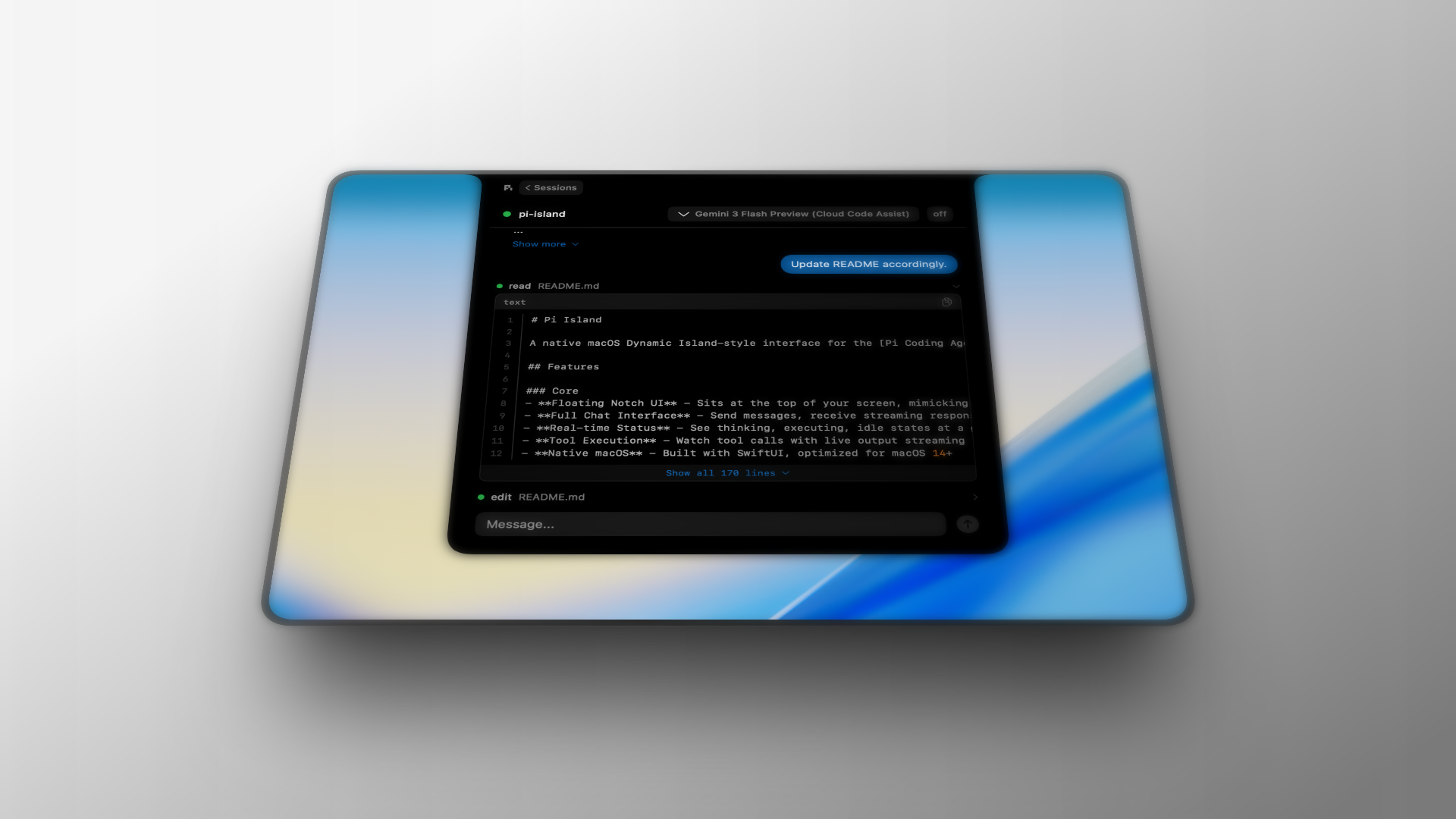
Pi Island is a native macOS application that provides a dynamic island interface for interacting with the Pi coding agent. It lives in the notch area of your MacBook and provides:
- Real-time session monitoring with visual activity indicators
- Multi-session management with instant switching
- AI usage monitoring across multiple providers
- Markdown rendering with syntax-highlighted code blocks
- Dynamic updates when using Pi from the terminal
Quick Start
- Download the latest release from GitHub
- Move
Pi Island.appto/Applications/ - Launch the app - it will appear in your notch area
- Hover over the notch to expand, click to open
Features
Dynamic Island Interface
Pi Island uses the MacBook's notch area as its home. The interface:
- Closed state: Sits invisibly in the notch
- Hint state: Pulses when there's activity in a session
- Open state: Expands to show sessions list or chat view
- Bounce animation: Pi logo bounces when a response is ready
Session Management
- View all Pi sessions across projects
- Resume any historical session instantly
- See real-time activity indicators:
- Green dot: Active session with live RPC connection
- Yellow dot: Recent external activity (terminal Pi)
- Blue dot: Pi is thinking (waiting for response)
Chat Interface
- Full markdown rendering with MarkdownUI
- Syntax highlighting for code blocks
- Collapsible thinking messages
- Model selector dropdown
- Real-time streaming responses
AI Usage Monitor
Track your AI subscription usage across multiple providers:
- Anthropic (Claude): 5-hour and weekly quotas with extra usage tracking
- GitHub Copilot: Monthly premium interactions quota
- Google Gemini CLI: Pro and Flash model quotas
- Google Antigravity: Per-model quotas for all available models
- Synthetic: Subscription, search, and tool call quotas
Features:
- Visual progress bars with linear pace markers
- Period bounds showing start/end times
- Time elapsed and remaining for each quota
- Pace comparison (ahead/behind linear usage)
- Automatic refresh with configurable intervals
- Notifications for warning and critical thresholds
Requirements
- macOS 14.0 or later
- MacBook with notch (recommended) or any Mac
- Pi coding agent installed (
picommand available)